Huron Safety - Submit a Personnel Change Amendment
Estimated Reading Time: 2 MinutesPersonnel changes occur at the submission level. If a PI has multiple submissions that require personnel changes, repeat this process for each submission.
Navigation
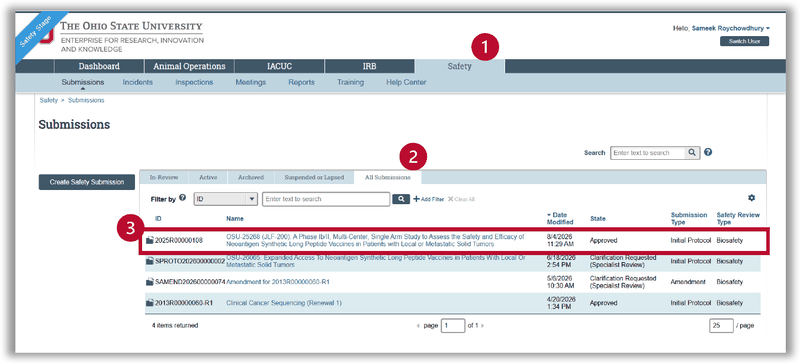
- Go to the Safety tab.
- Select the All Submissions or Active tab to see all current studies.
- Open the submission.
Note: A personnel change is a type of amendment, and you cannot submit two of the same amendment type at once. You can have only one personnel change and one protocol change pending at a time. If the study already has a personnel change amendment pending, you will not be able to submit another.
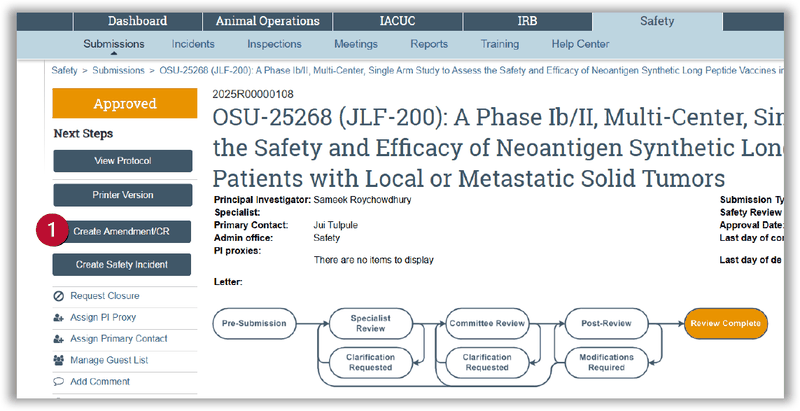
Study Workspace
- In the left navigation, select Create Amendment/CR to open the SmartForm.
Amendment SmartForm
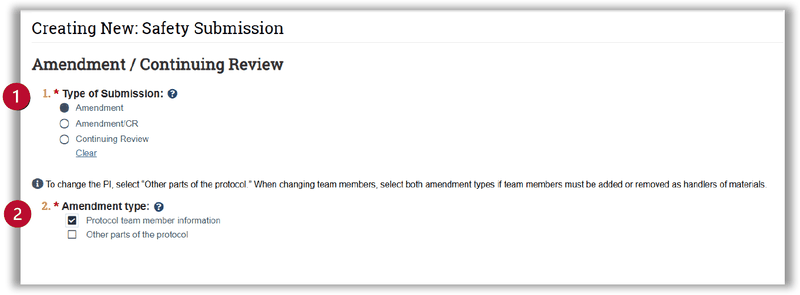
Amendment/Continuing Review page
- Under Type of Submission, select Amendment.
- Under Amendment type, select Protocol team member information.
Note: When changing team members, select both amendment types if team members must be added or removed as handlers of materials.
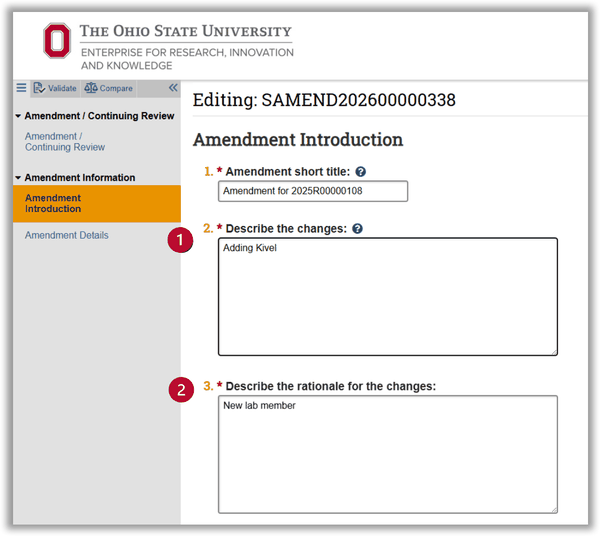
Amendment Introduction page
- Add a brief description of the changes.
- Add a brief rationale for the changes.
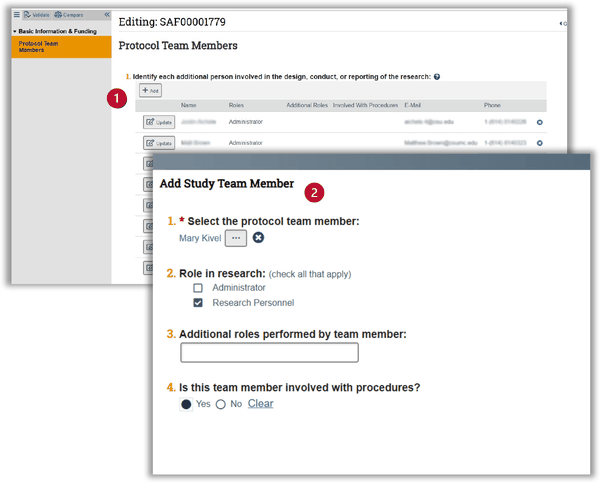
Protocol Team Members page
- Review the listed protocol team members. Select the x icon to remove a member, or select Add to add a new member.
- In the Add Study Team Member window, select the team member's name, their role in research, and whether they will be involved with procedures. Select OK to close the window.
- Review the updated list. Select Finish to close the SmartForm.
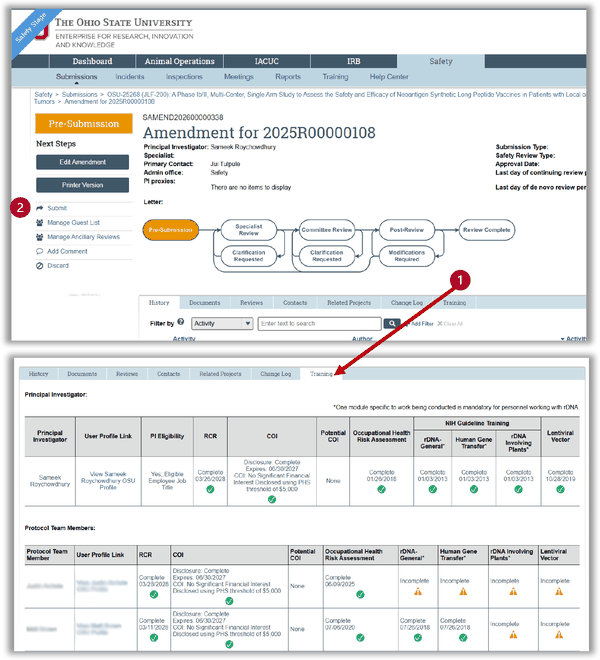
Submit the Amendment
- After you exit the SmartForm, you return to the study workspace. Before submitting, open the Training tab and check the training status for the PI and all team members. Your amendment will be delayed if any team member has incomplete training.
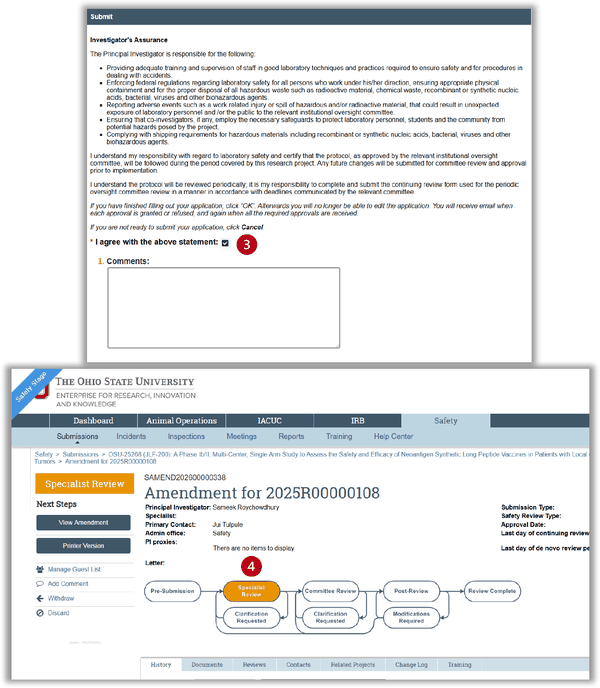
- After confirming required training is complete, select Submit in the left navigation. A Submit window opens.
- Review the Investigator's Assurance in the Submit window. If you agree, check I agree with the above statement, add any comments, and select OK.
- The submission status changes to Specialist Review, and your personnel change goes to the IBC Specialist for approval.